WhatsApp Chat Widget
The chat widget is a floating "Chat on WhatsApp" bubble you drop onto your own website. A visitor clicks it and lands in WhatsApp with a message already typed — the conversation then arrives in your Inbox like any other.
You can run several widgets at once: a different number, greeting or schedule per site or per landing page.
Location: WhatsApp → Chat Widget (/app/whatsapp/widget)
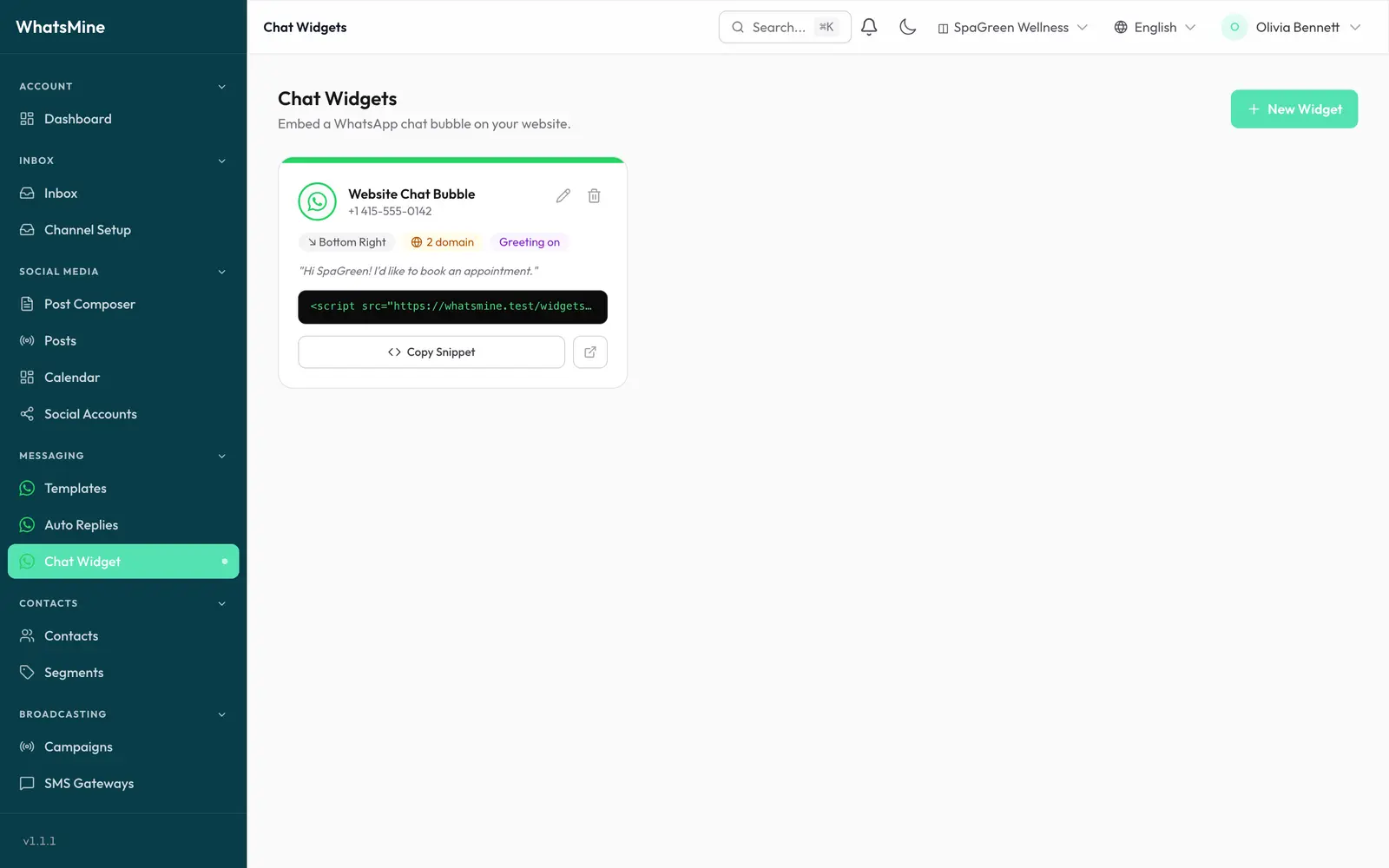
Creating a widget
Click New Widget. The builder has four tabs, with a live preview and a summary beside them.
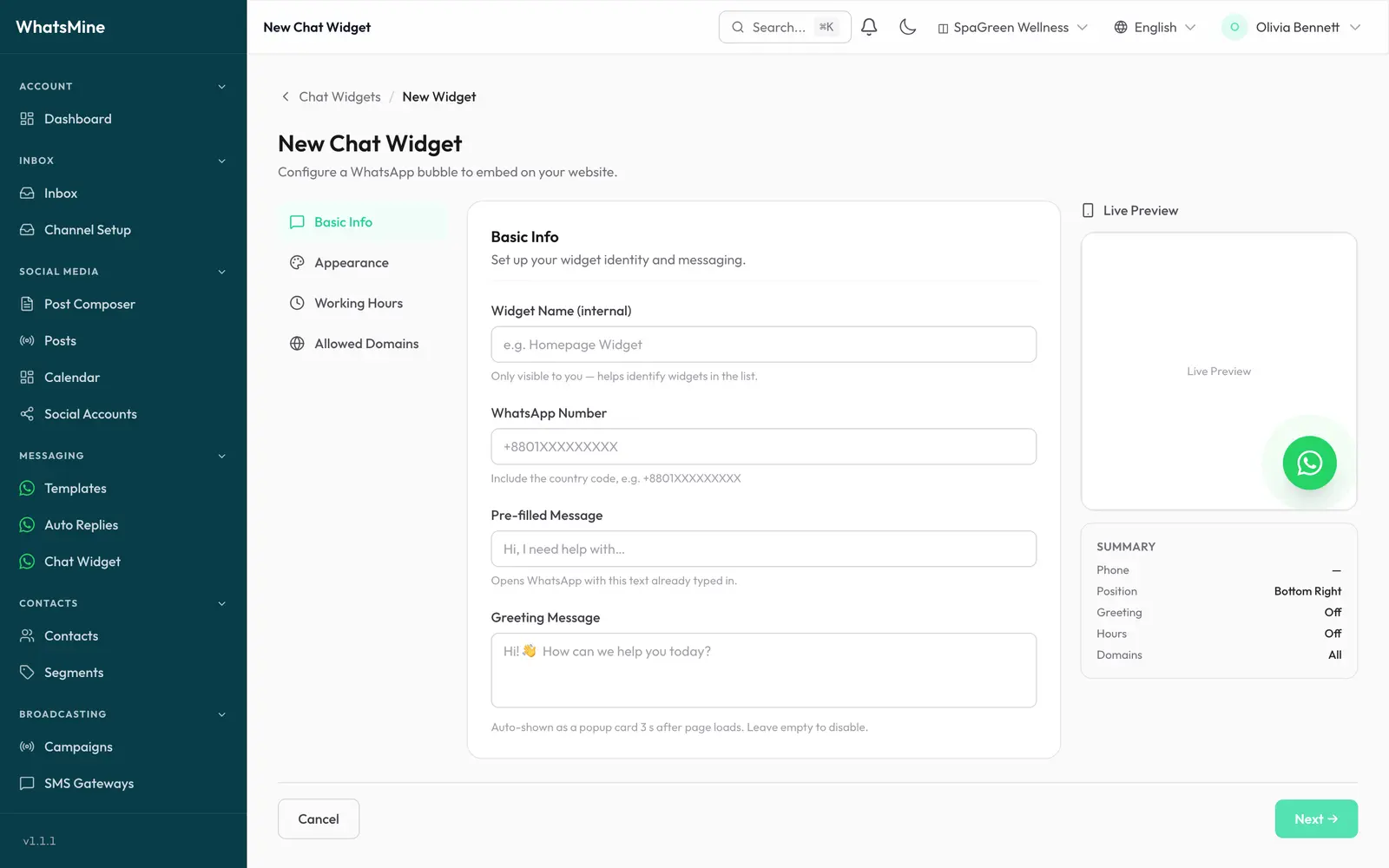
Basic Info
| Field | What it does |
|---|---|
| Widget name | Internal label only — helps you tell widgets apart in the list. Never shown to visitors. |
| WhatsApp number | The number the chat opens. Include the country code, e.g. +8801XXXXXXXXX. |
| Pre-filled message | Text WhatsApp opens with already typed in, e.g. "Hi, I need help with…". |
| Greeting message | A popup card shown automatically 3 seconds after the page loads. Leave empty to disable. |
Appearance
- Position — bottom right or bottom left.
- Button colour — the bubble colour.
- Agent name and avatar colour — shown on the greeting card, so it reads as a person rather than a form.
Working Hours
Show the widget only when someone is actually there to reply.
- Enable it, pick a timezone, then set an open and close time per day of the week.
- Outside those hours the widget simply doesn't render — no bubble, no greeting.
Leave it off and the widget is always visible.
Allowed Domains
Restrict which sites may display the widget.
- Leave empty — the widget works on any site that embeds it.
- Add domains — only those hosts (and their subdomains) render it.
www.is ignored, soexample.comcoverswww.example.comandshop.example.com.
This stops someone from copying your snippet onto an unrelated site.
Installing it on your website
Back on the list, click Copy snippet and paste it into your site's HTML, just before </body>:
<script src="https://your-domain.com/widgets/whatsapp/YOUR_WIDGET_KEY.js" async defer></script>
That's the whole installation — the script is self-contained, loads asynchronously and doesn't block your page.
Edits go live without touching your site
The script is generated from your settings each time it's requested (cached for 5 minutes). Change the colour, greeting or hours in WhatsMine and your site picks it up — no re-paste needed.
Platform notes
| Platform | Where to paste |
|---|---|
| WordPress | Appearance → Theme File Editor → footer.php, or a "header & footer scripts" plugin. |
| Shopify | Online Store → Themes → Edit code → theme.liquid, before </body>. |
| Webflow / Squarespace / Wix | Project or page settings → Custom code → Footer. |
| Plain HTML | Before </body> on each page. |
Managing widgets
- Edit — change any setting; live sites update automatically.
- View embed JS — open the generated script to check what's being served.
- Delete — the snippet stops working immediately on every site that uses it.
Troubleshooting
| Symptom | Cause |
|---|---|
| Bubble never appears | The current host isn't in Allowed Domains, or you're outside Working Hours. |
| Bubble appears, WhatsApp doesn't open | The number is missing its country code, or isn't a WhatsApp account. |
| Old colour or greeting still showing | The script is cached for 5 minutes — wait, then hard-refresh. |
| Snippet URL points at the wrong host | Copy the snippet from this page rather than typing it; it is built server-side with your real install URL, including sub-directory installs. |
➡️ Next: automate the replies those chats get with Automation.